

1
Installs from the Wix dashboard
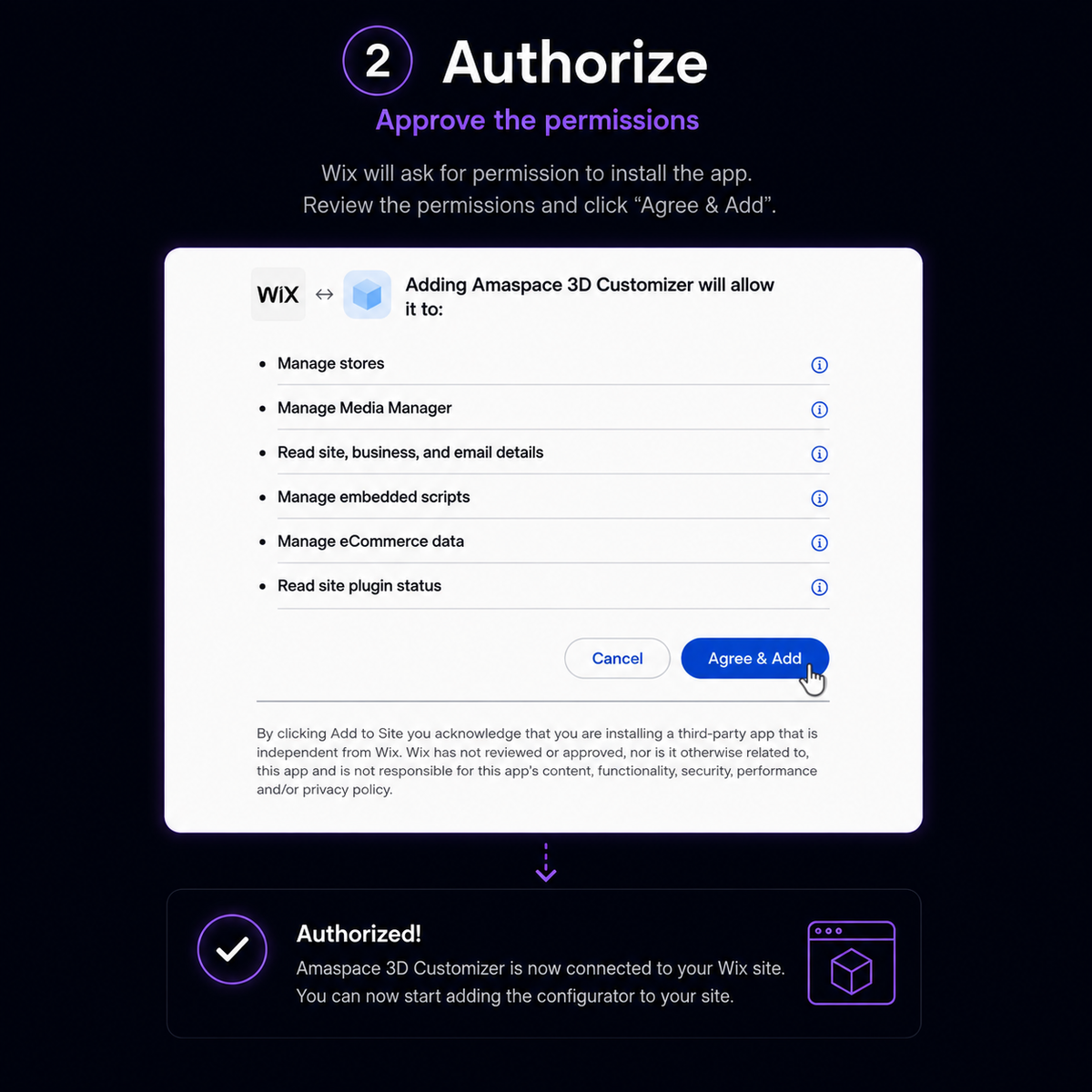
Add the Amaspace 3D Customizer app, click Complete Setup, and the button is placed for you on connected product pages.
2
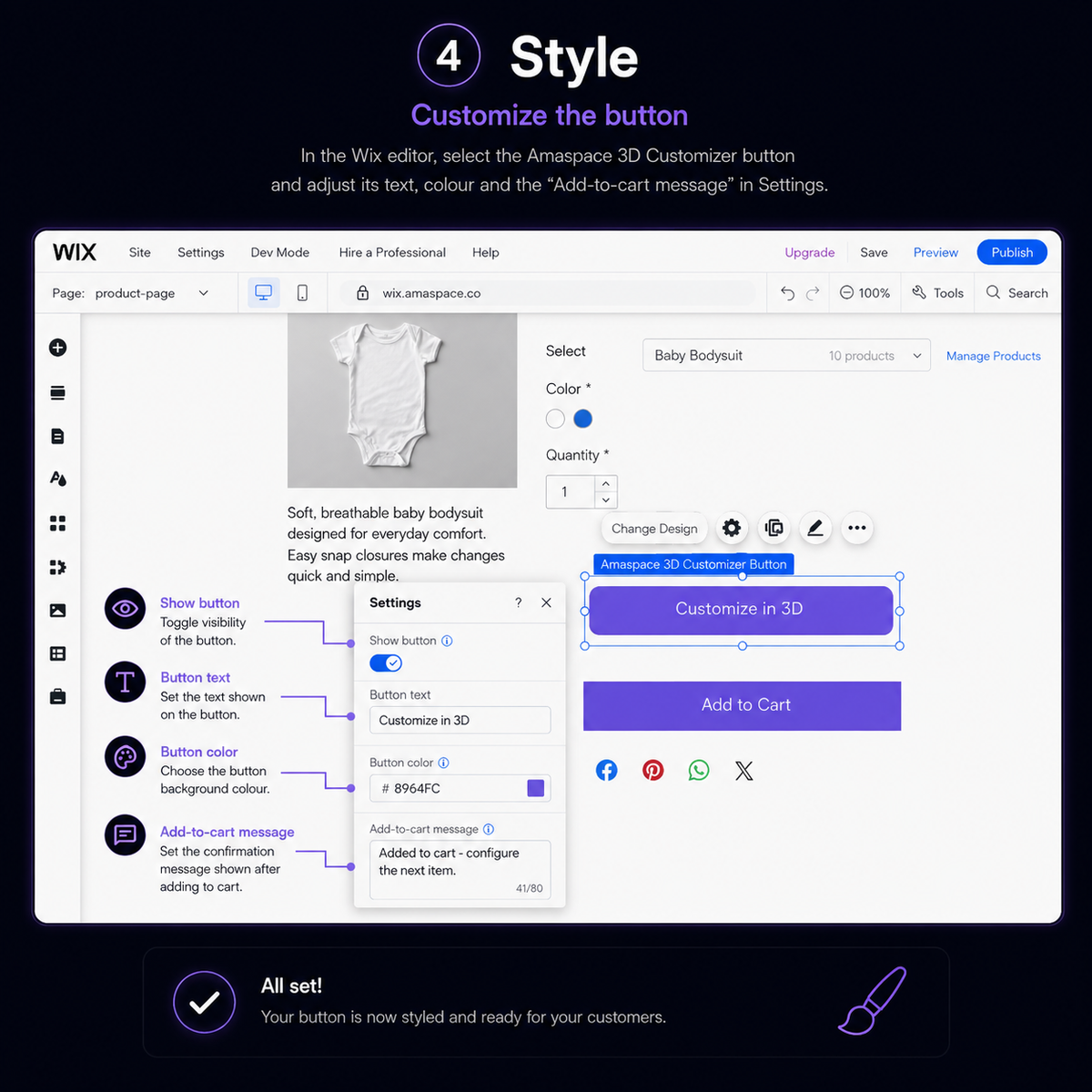
You style the button
Text, colour and the add-to-cart message are all editable in the Wix editor, so it matches the rest of your storefront.
3
Button or inline
Use the automatic button above Add to Cart, or place the Amaspace 3D Customizer widget inline anywhere via App Widgets.
4
Configuration on the order
Each order gets a note in Order activity linking to Amaspace, with every option the buyer selected, uploaded files and a 3D preview.
How the Wix integration works
Six steps between Amaspace, your Wix dashboard and the editor.




FAQ
Everything sellers ask before connecting Wix.