
3D Product Configurator for Shopify
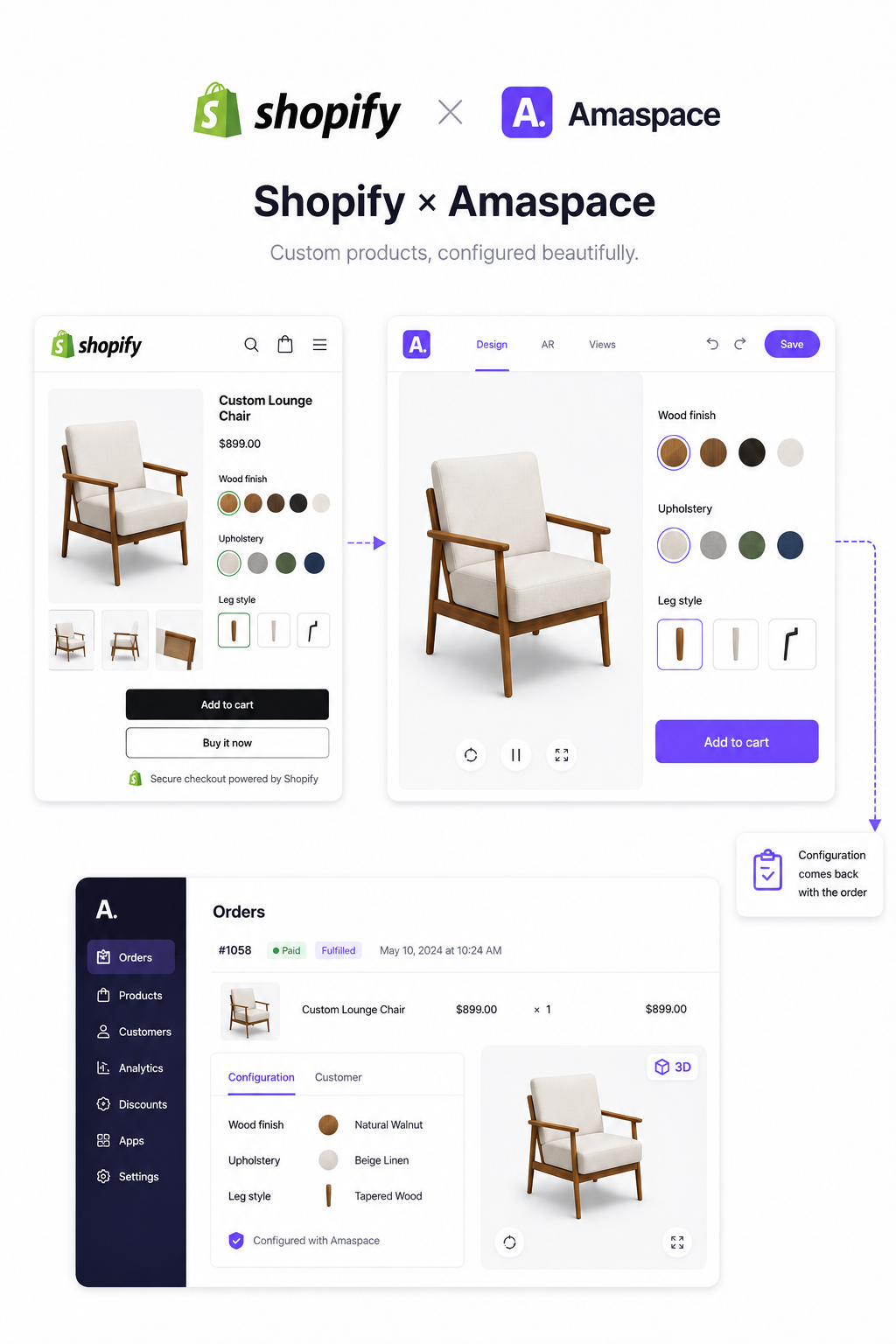
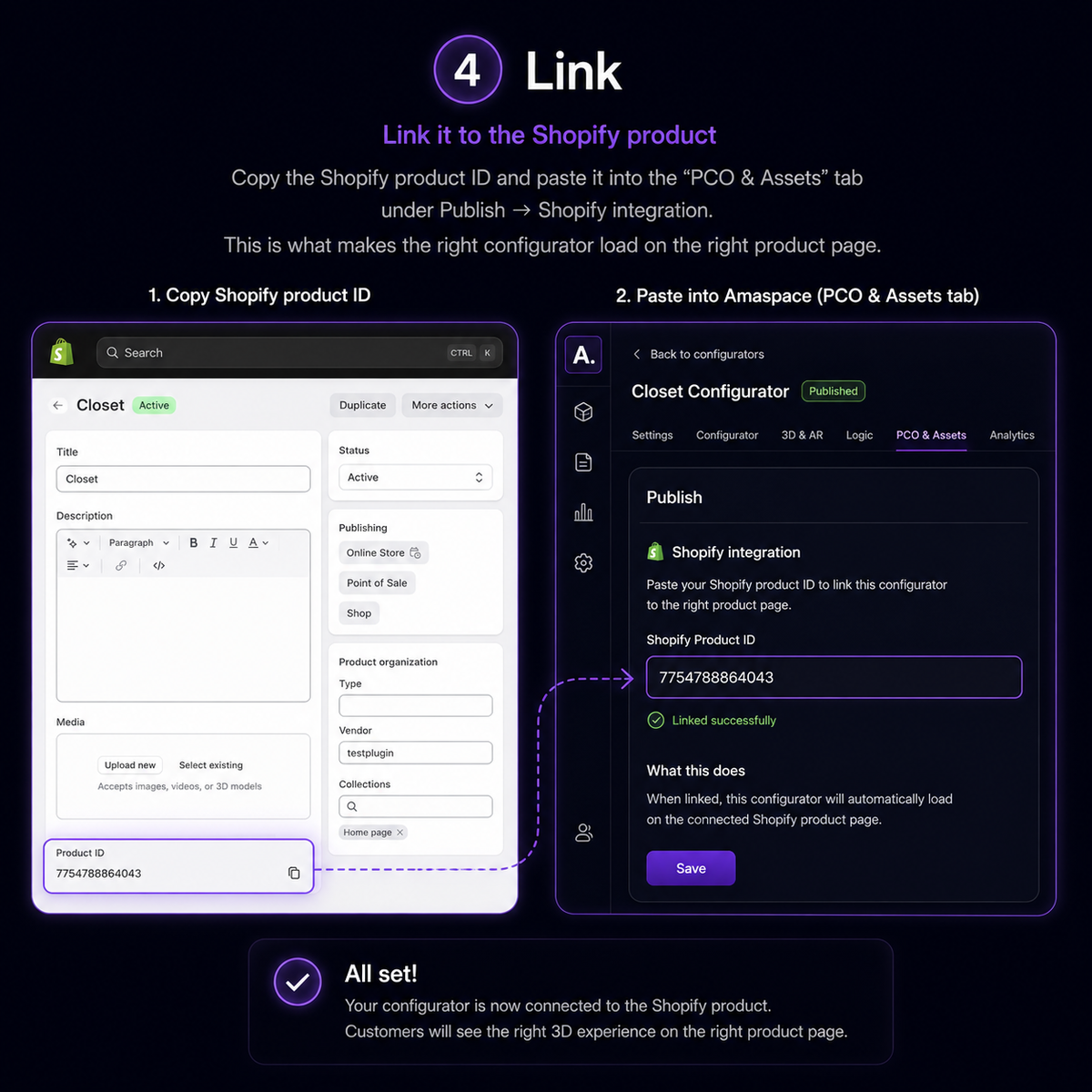
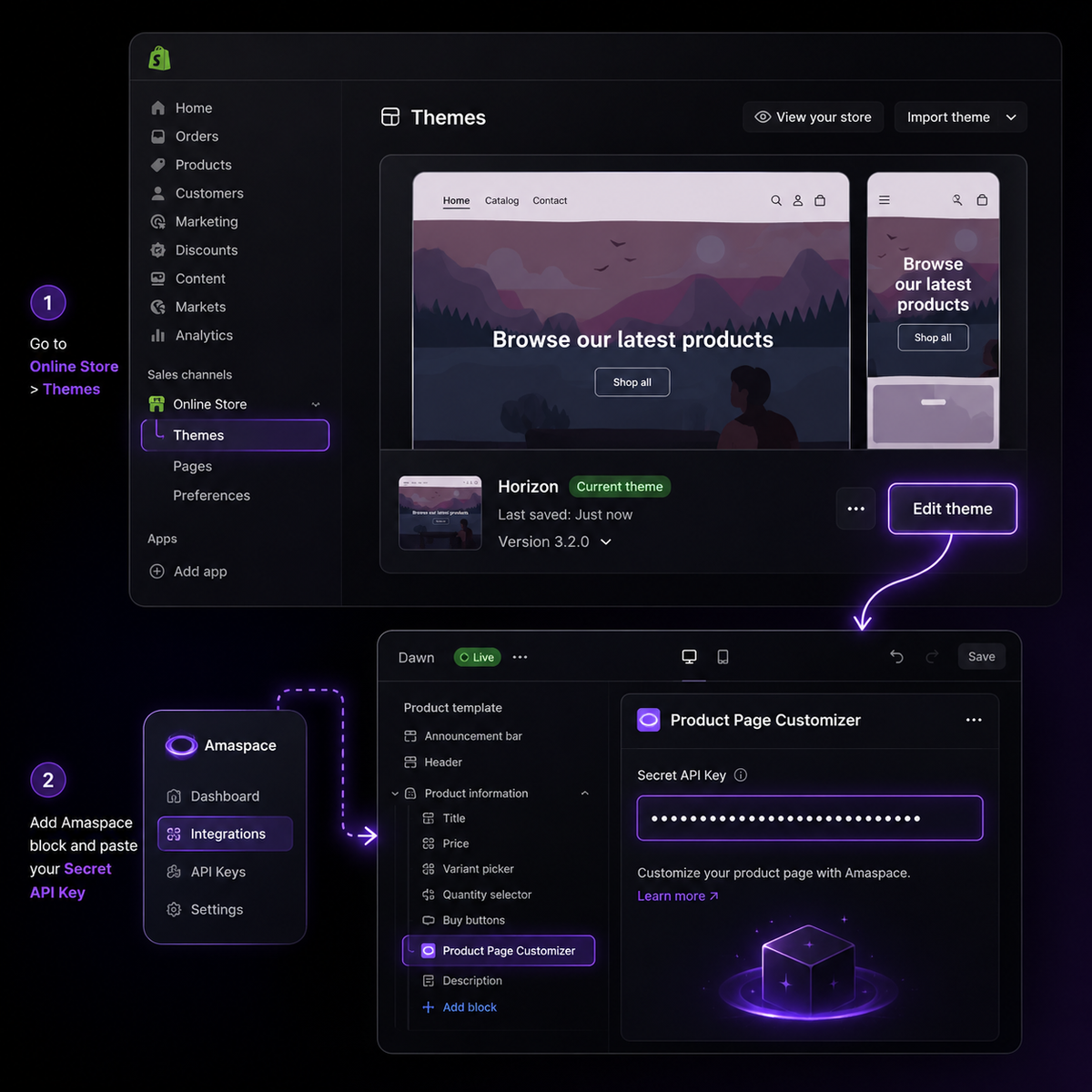
Install the Amaspace Customizer from the Shopify App Store, add the Product Page Customizer app block to your product template, and buyers configure the product in 3D right on the page. The finished configuration is saved as part of the order, so checkout, discounts and fulfilment work exactly as they do today.
1
Native on the product page
Add the Product Page Customizer app block to your product template in Online Store → Themes → Customize, and the 3D configurator appears right where buyers already choose options.
2
Works inside your existing products
The Product Page Customizer sits on the Shopify product you already sell, it does not create new products. The finished configuration is saved as part of the order, so fulfilment stays in the flow your team already runs.
3
3D and AR in the browser
Buyers rotate the product, change materials and place it in their room from a phone — no app, no download.
4
See what buyers configure
Option-level analytics show which materials, colours and packages get picked, so you know what to stock and what to promote.
How the Shopify integration works
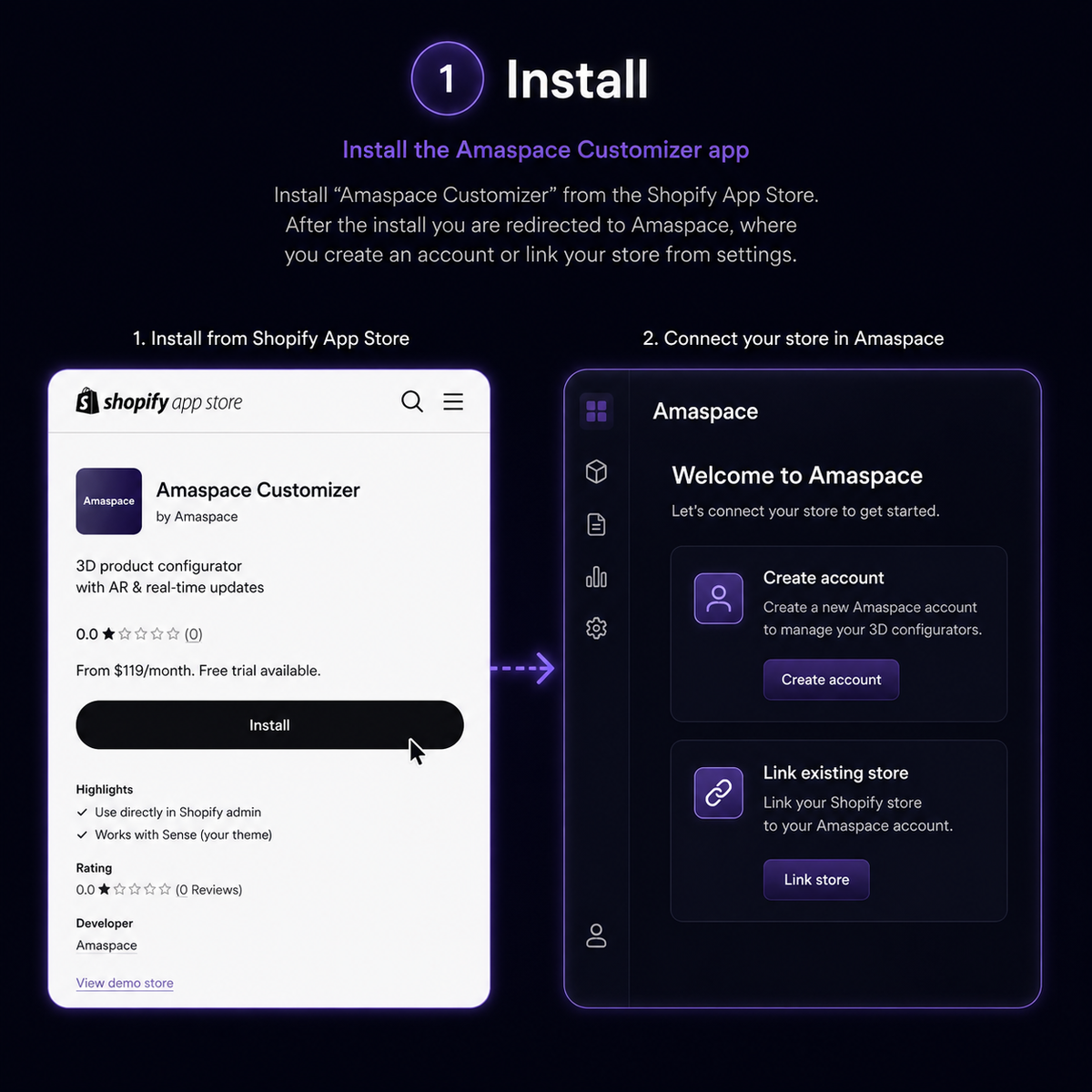
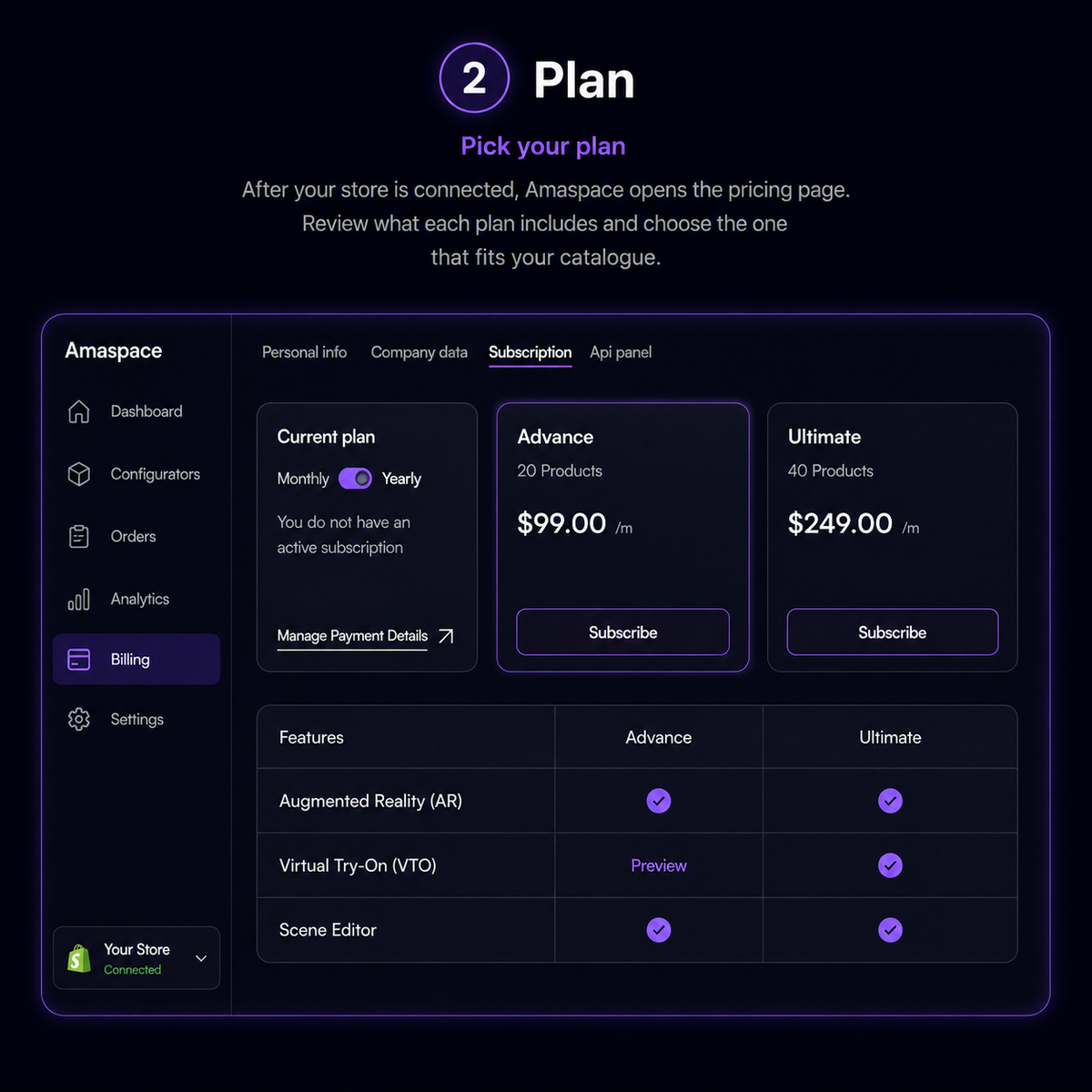
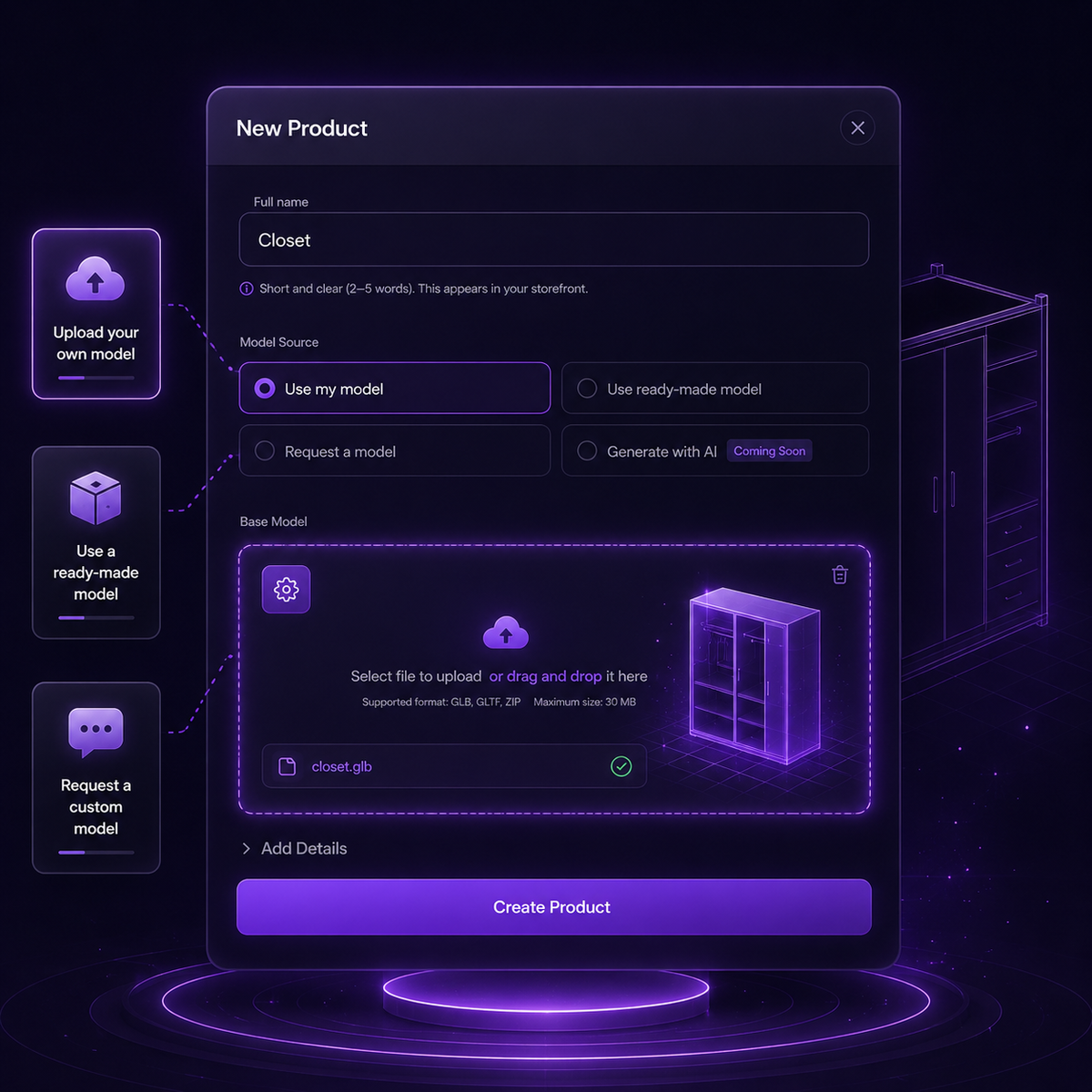
From app install to a live configurator on your product template.
FAQ
Everything sellers ask before connecting Shopify.