
3D Product Configurator for Etsy
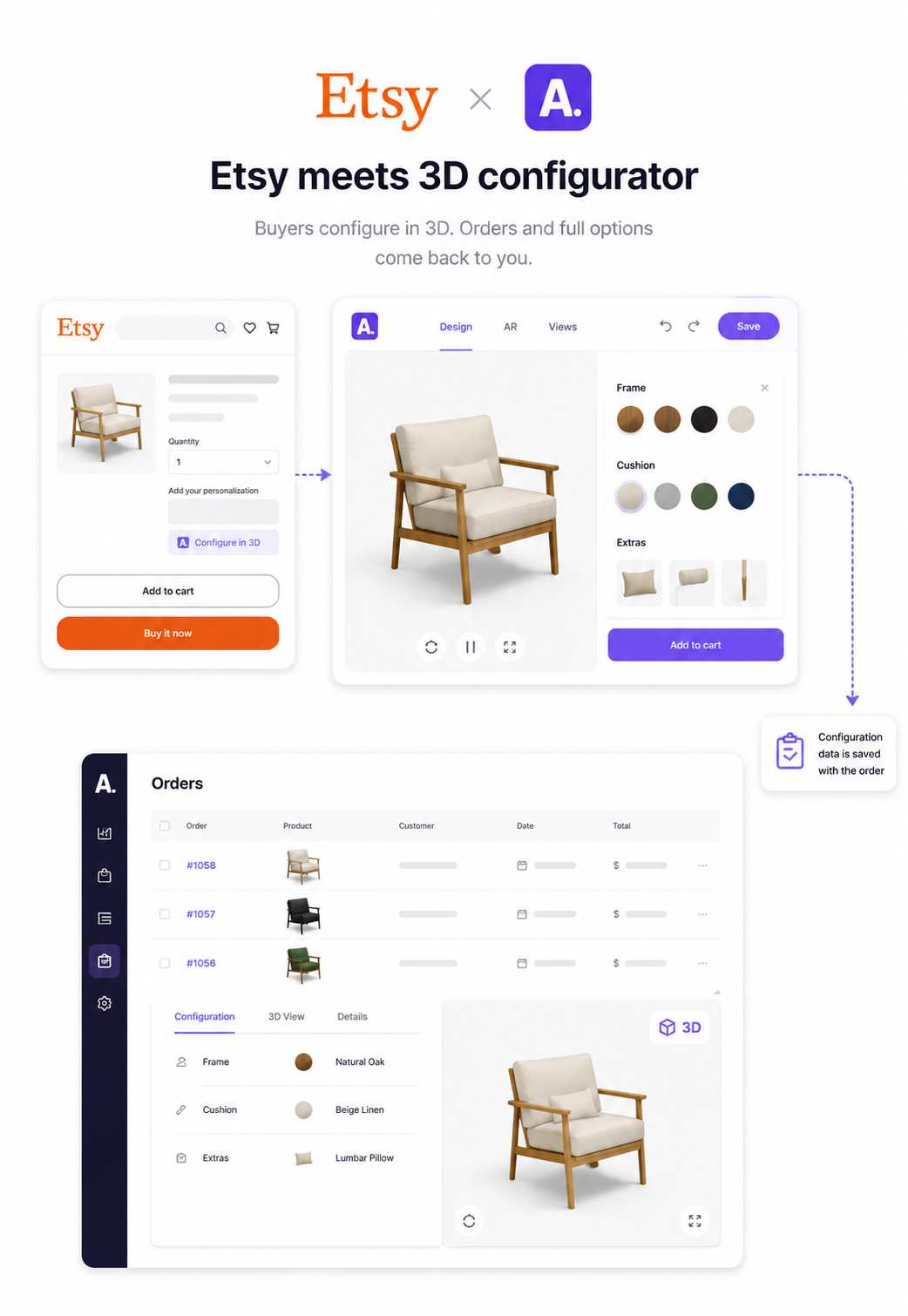
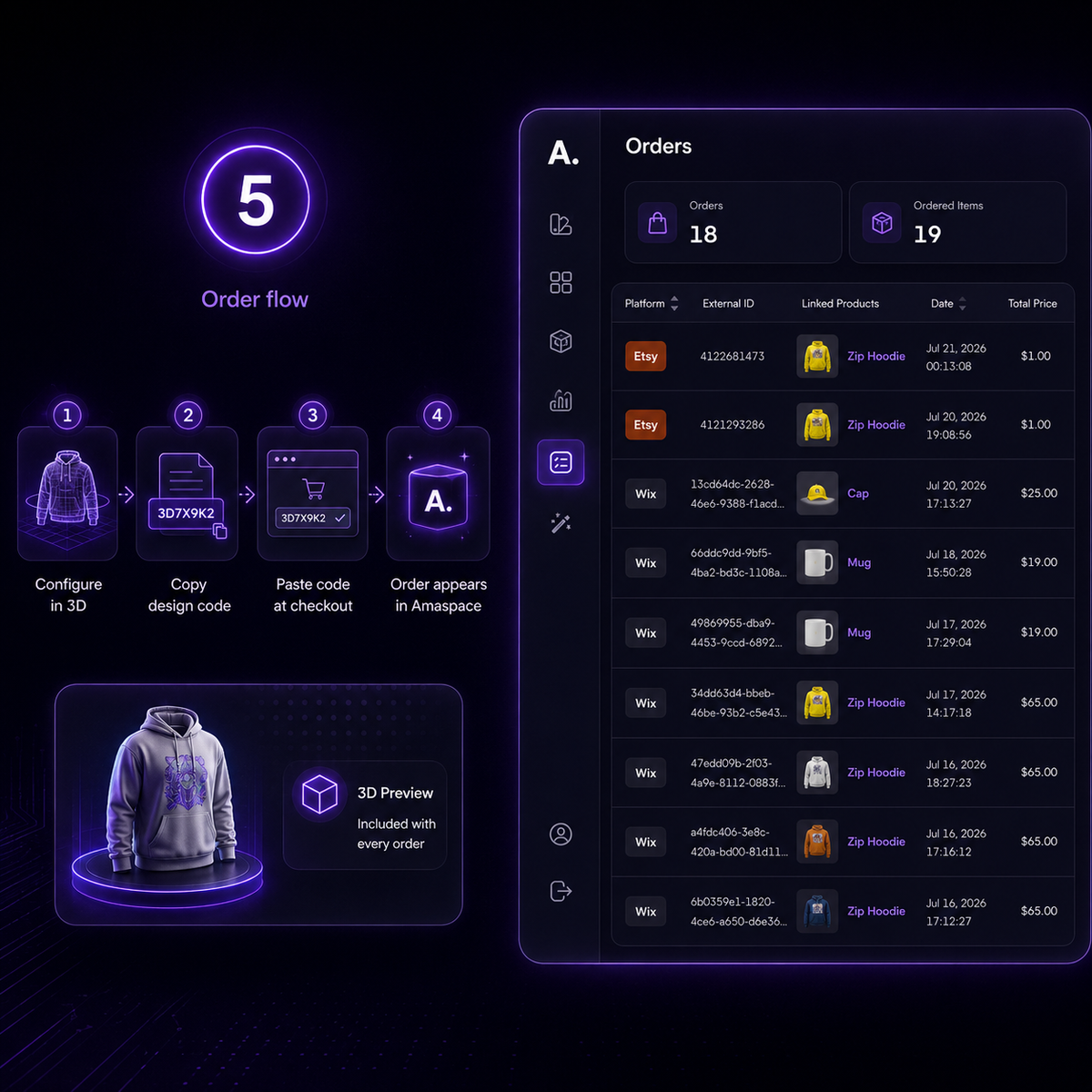
Etsy sellers can't rebuild the checkout — so Amaspace works with it. Buyers open your configurator from the listing, design the product in 3D and AR, then paste a design code into the personalization field. The order lands in Amaspace with every option they chose and a “Show in 3D” view.
1
Buyers design it themselves
Materials, colours, engraving and uploaded artwork are picked in a 3D viewer instead of described in a chat thread — no mock-up round trips before the sale.
2
Orders arrive production-ready
Colours, images, text and variants come through attached to the order, with a 3D preview of exactly what the buyer designed.
3
Try it in the room, from the listing
Browser-based AR lets buyers place the product in their space on a phone. No app install, nothing to download.
4
Inside Etsy's rules
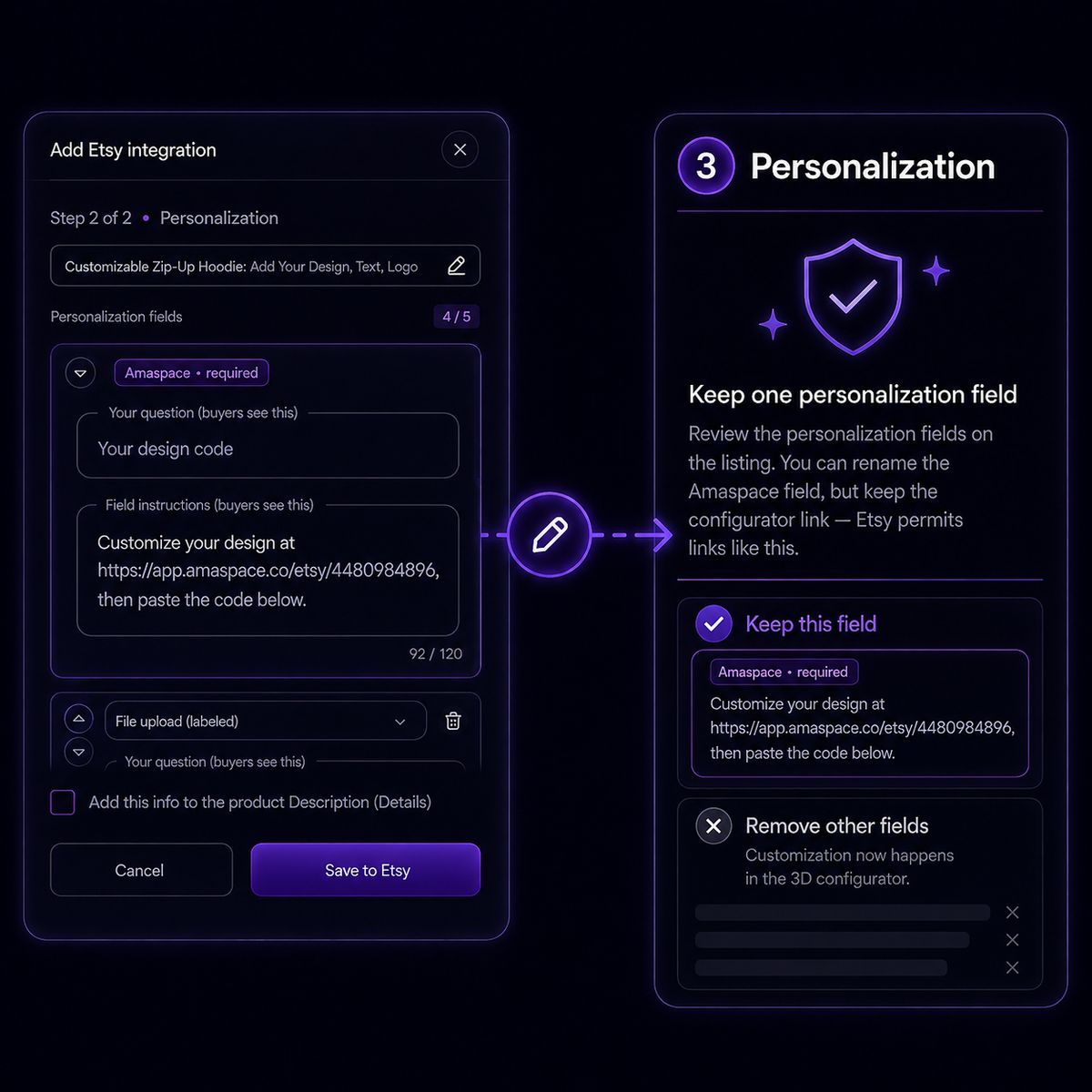
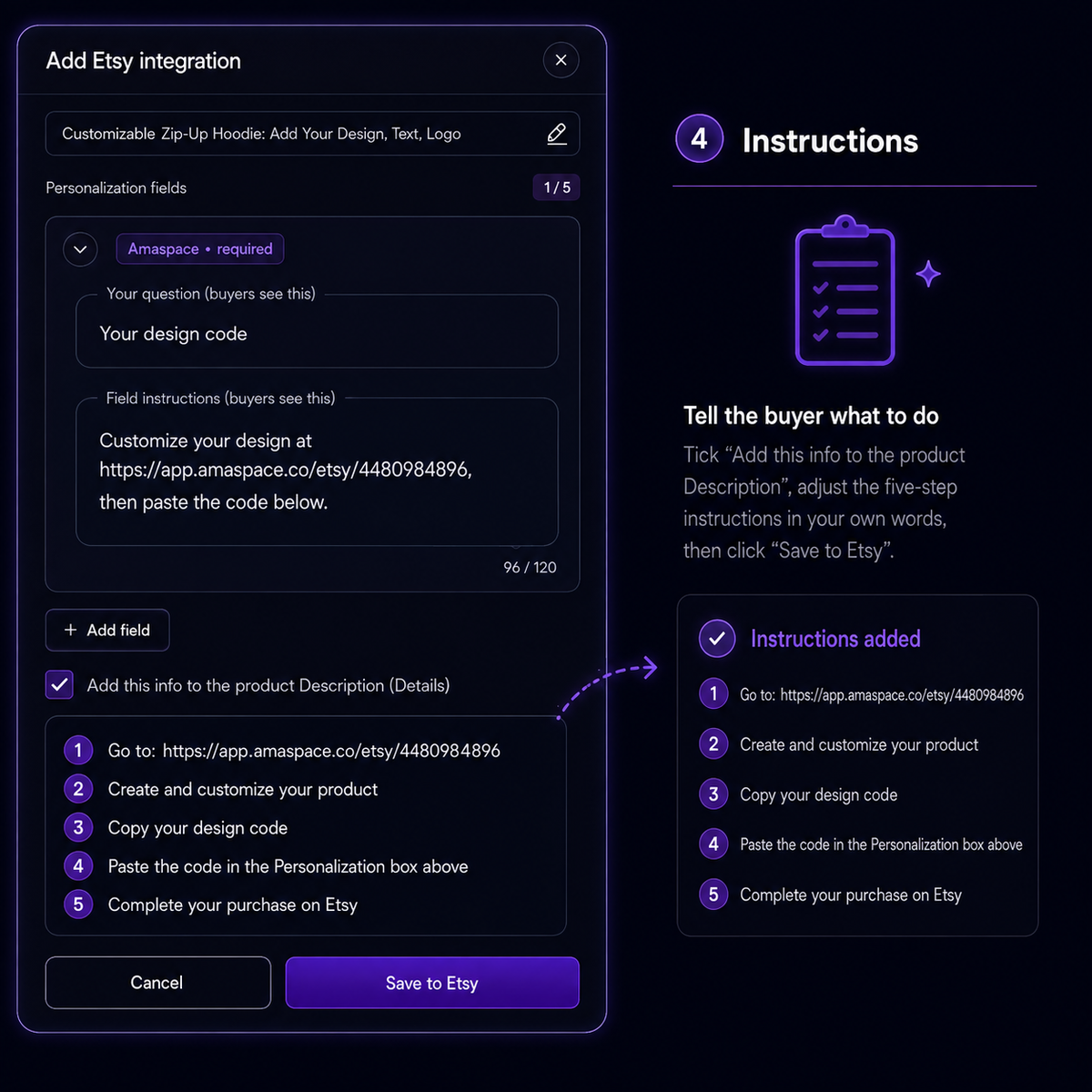
The configurator link lives in the personalization field, which Etsy permits, and pricing stays on the listing where Etsy requires it.
How the Etsy integration works
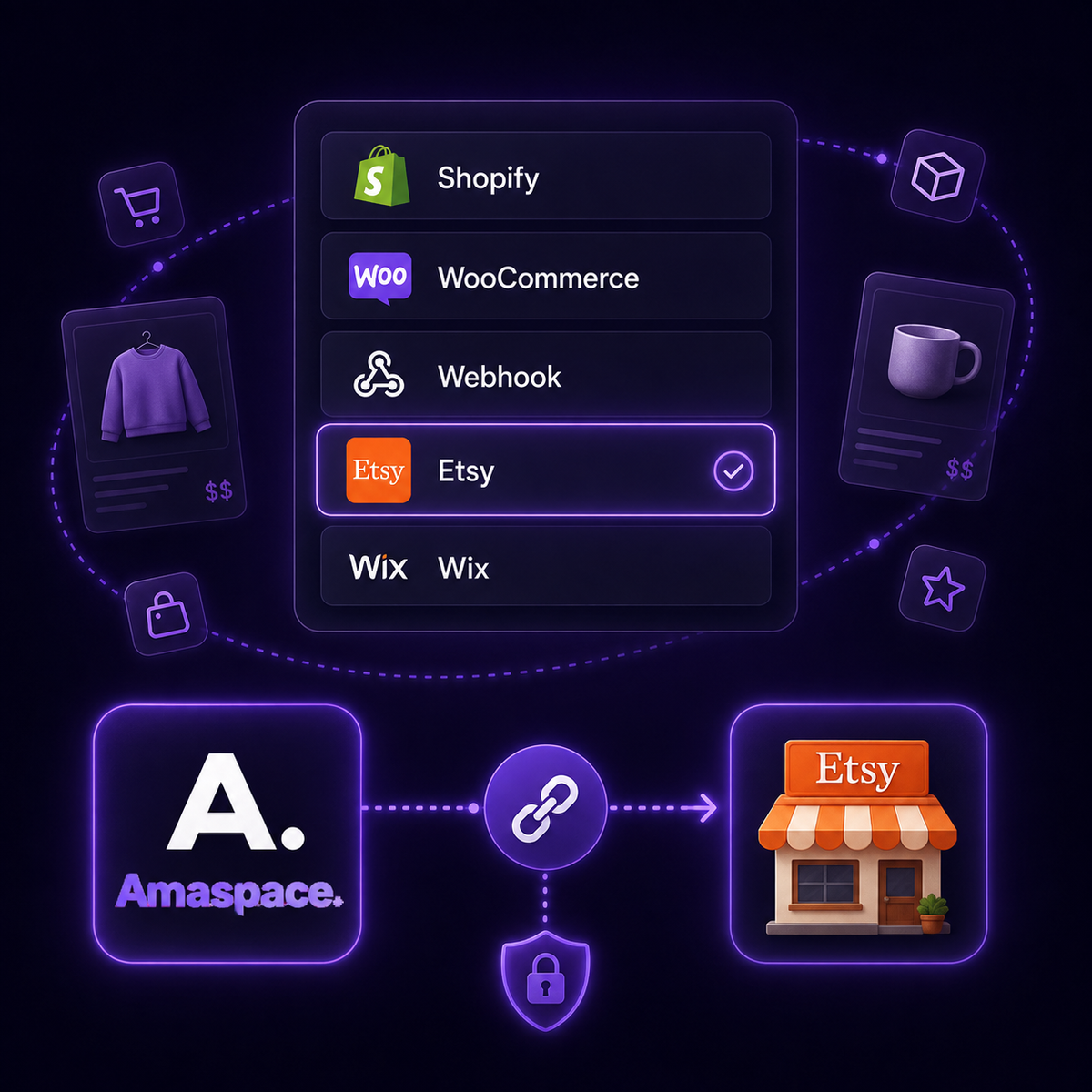
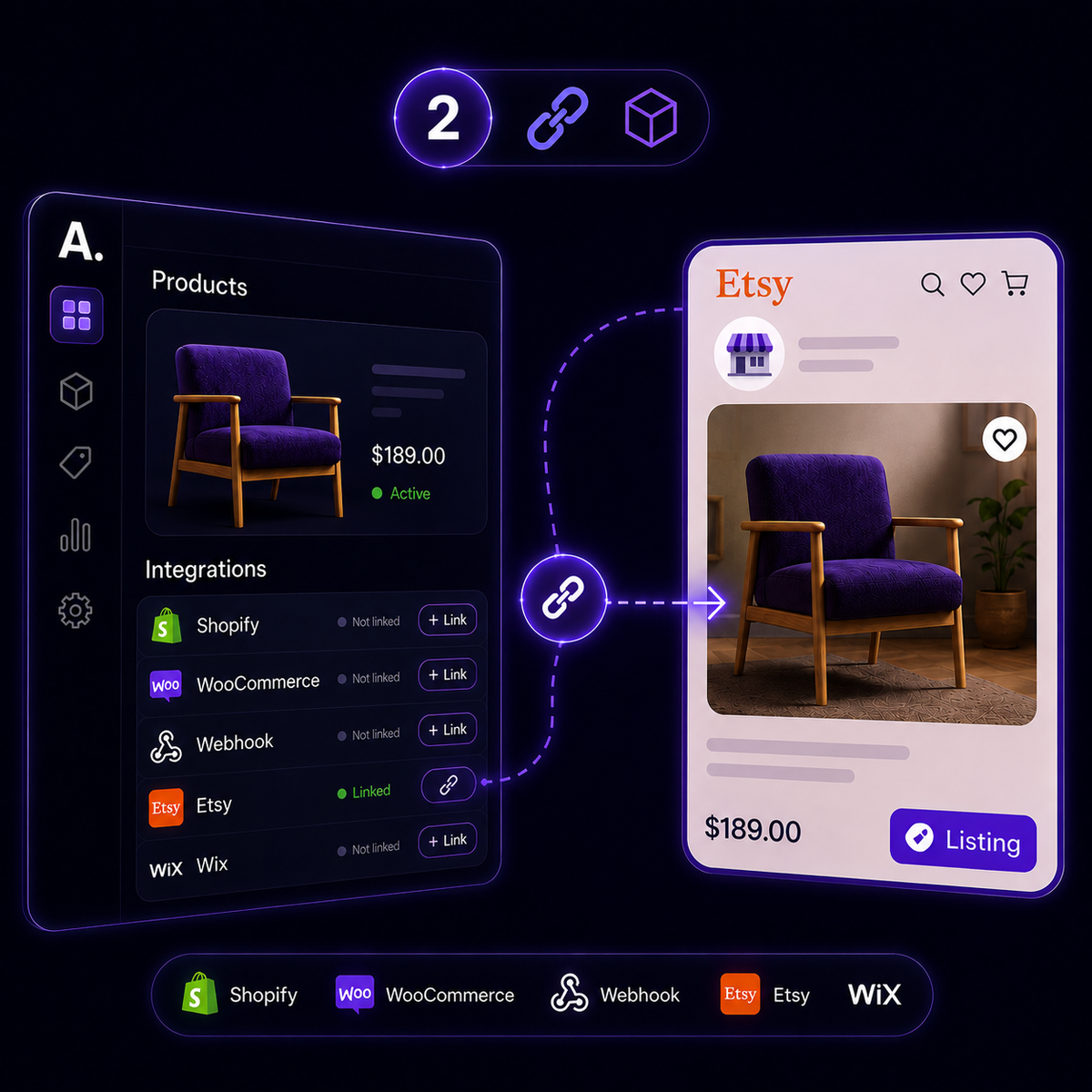
Five steps in the Amaspace dashboard and your listing — no code anywhere.
FAQ
Everything sellers ask before connecting Etsy.
Free 3D demo
Get a free 3D demo of your bestseller
Send us your Etsy shop and we will turn one of your listings into an interactive 3D model. No cost, no setup, nothing to install.