
1
One plugin, one key
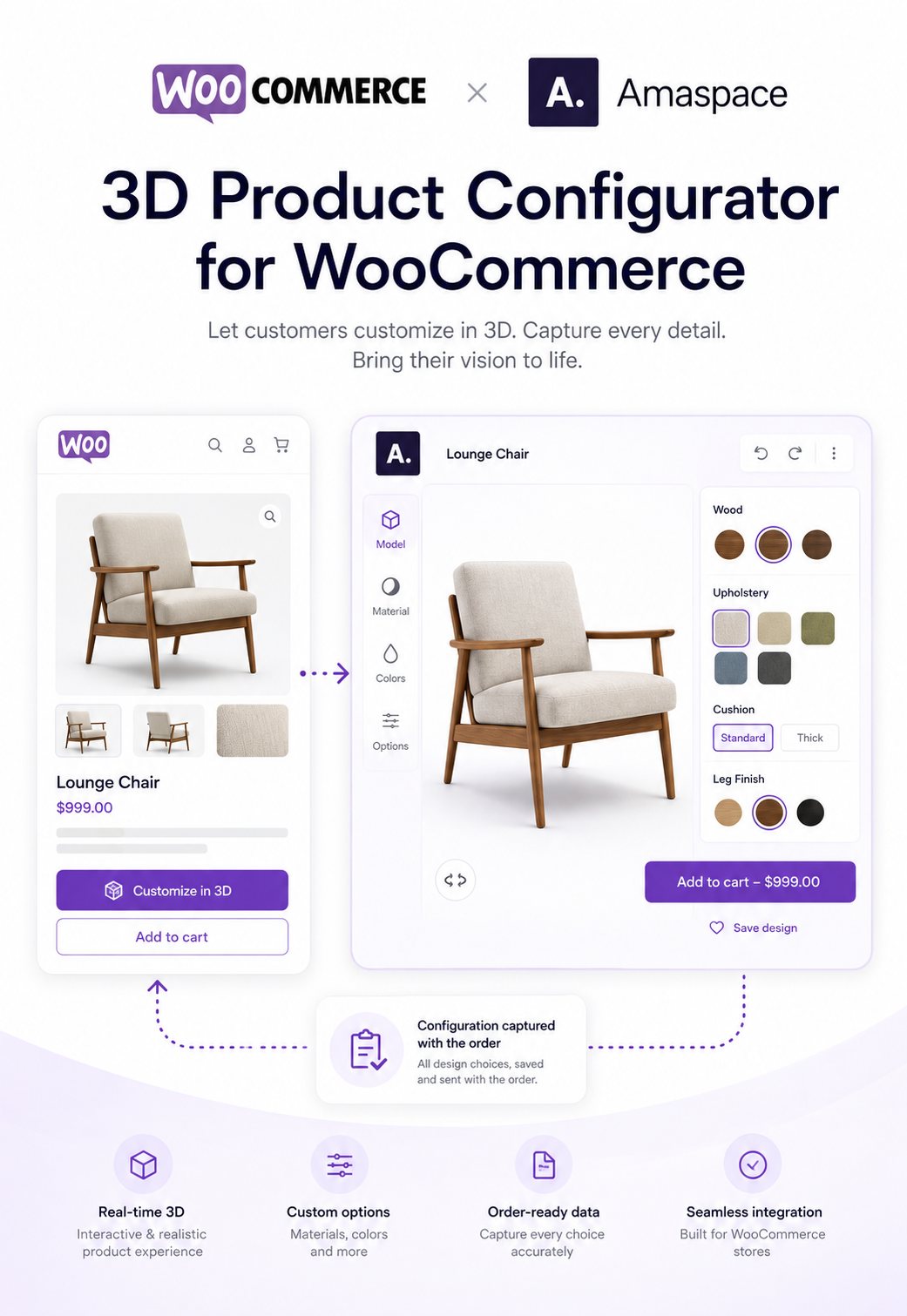
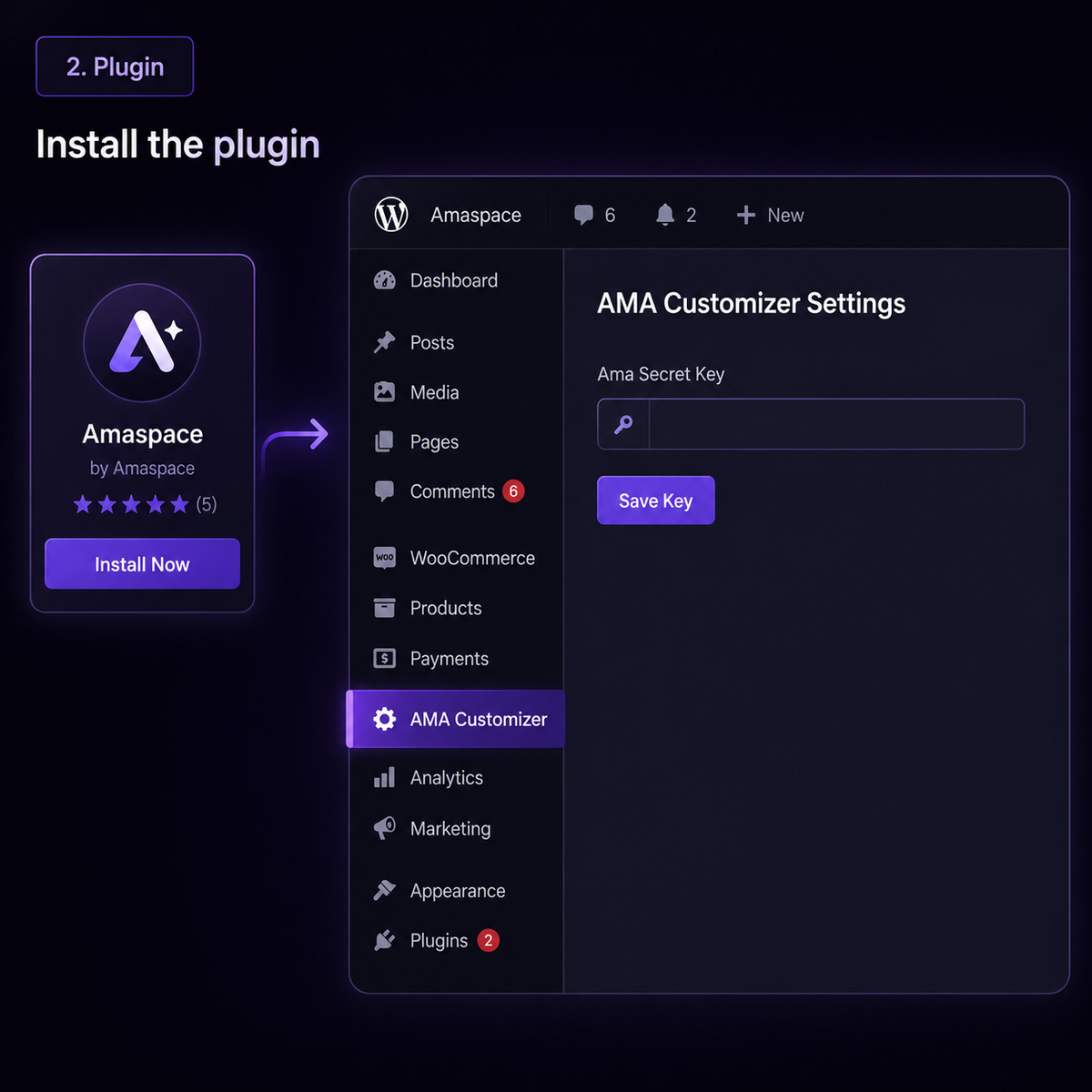
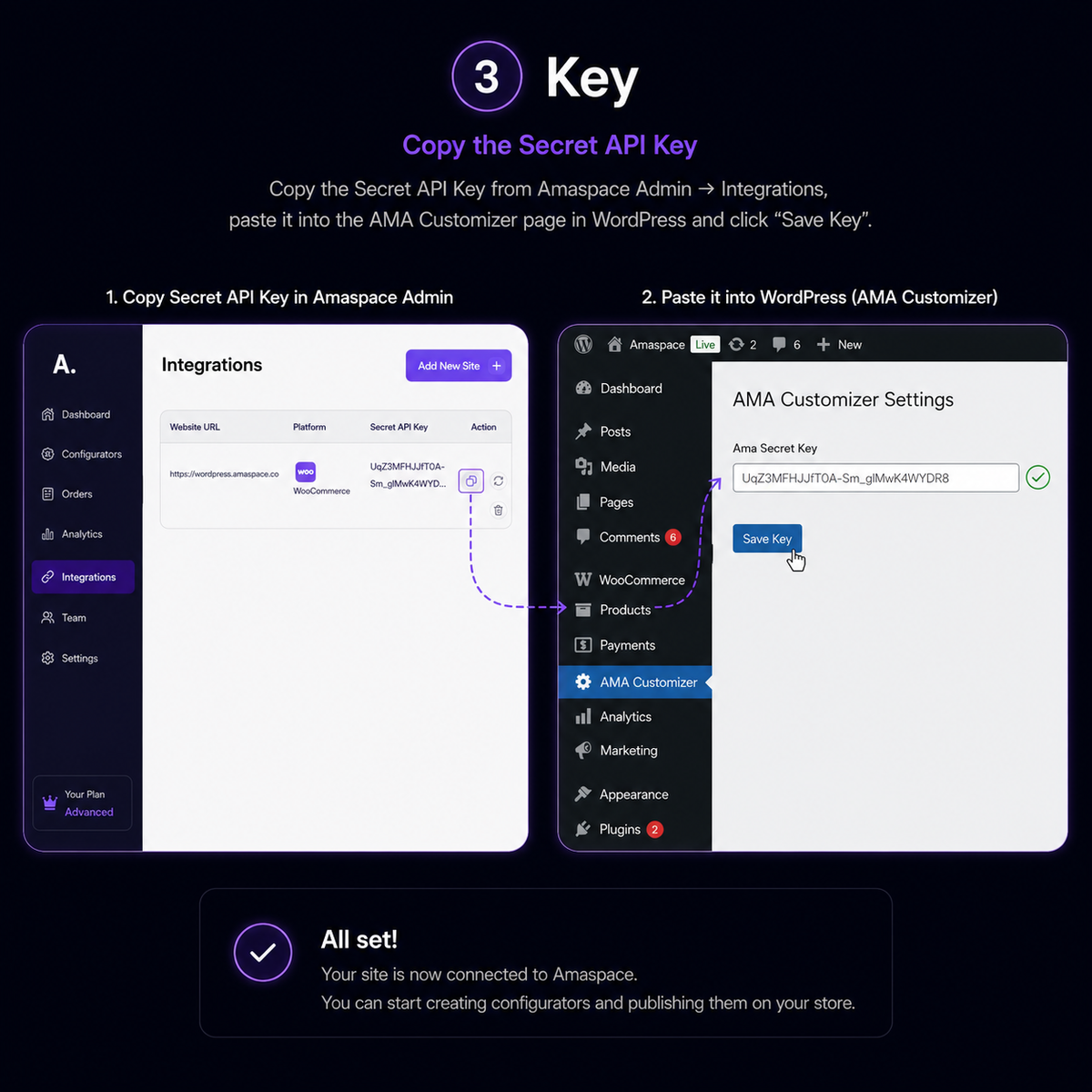
Install the Amaspace plugin from the WordPress plugin directory, paste your Secret API Key on the AMA Customizer page, and the connection is done.
2
Product page or shortcode
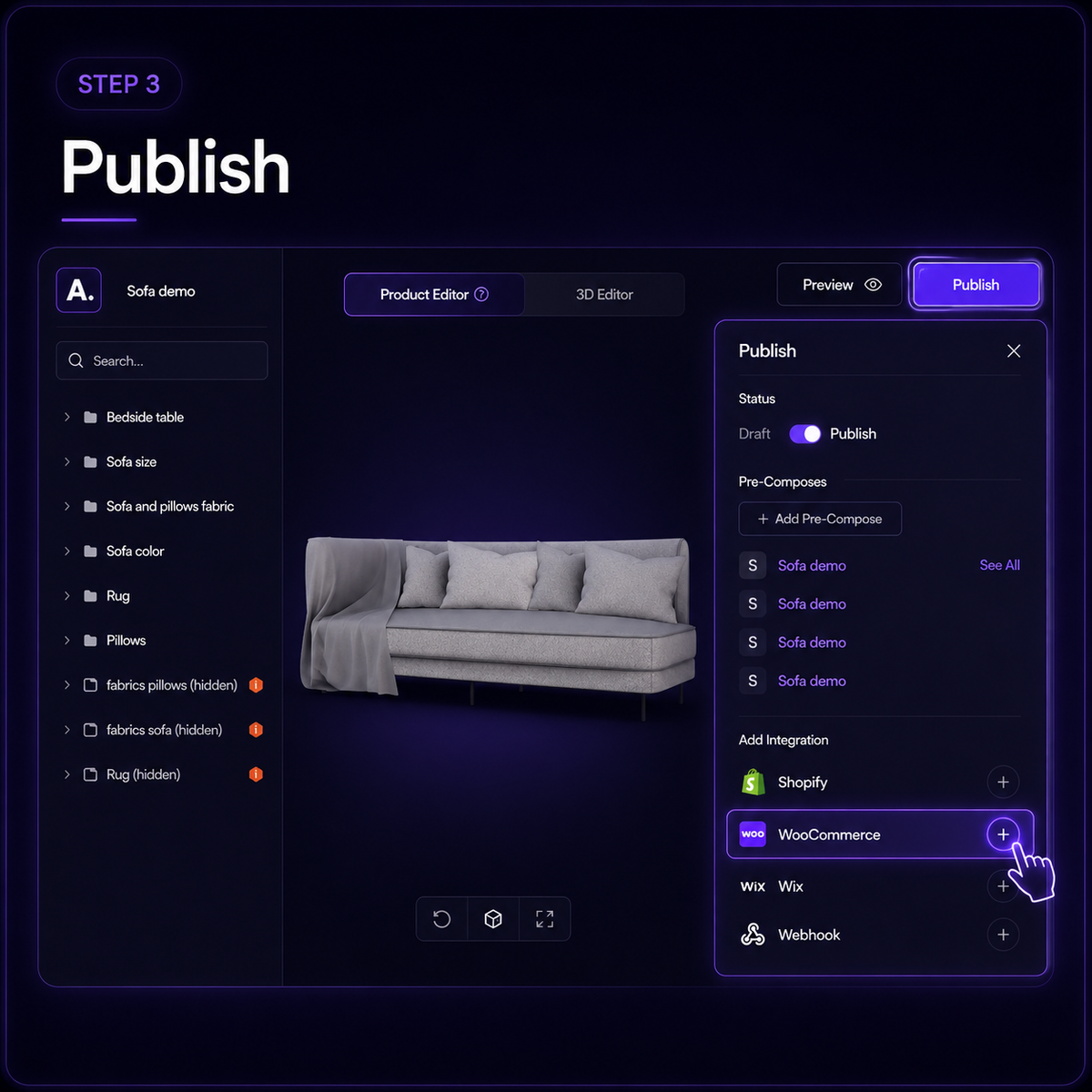
Link the configurator to a WooCommerce product so it loads on that product page, or place it on any page or template with a shortcode.
3
Orders keep the full spec
Every configuration the buyer builds is stored against the order in Amaspace, with a 3D view for whoever makes the product.
4
3D and AR without a developer
No theme rebuild and no custom JavaScript — the plugin handles rendering, AR and the configurator UI.
How the WooCommerce integration works
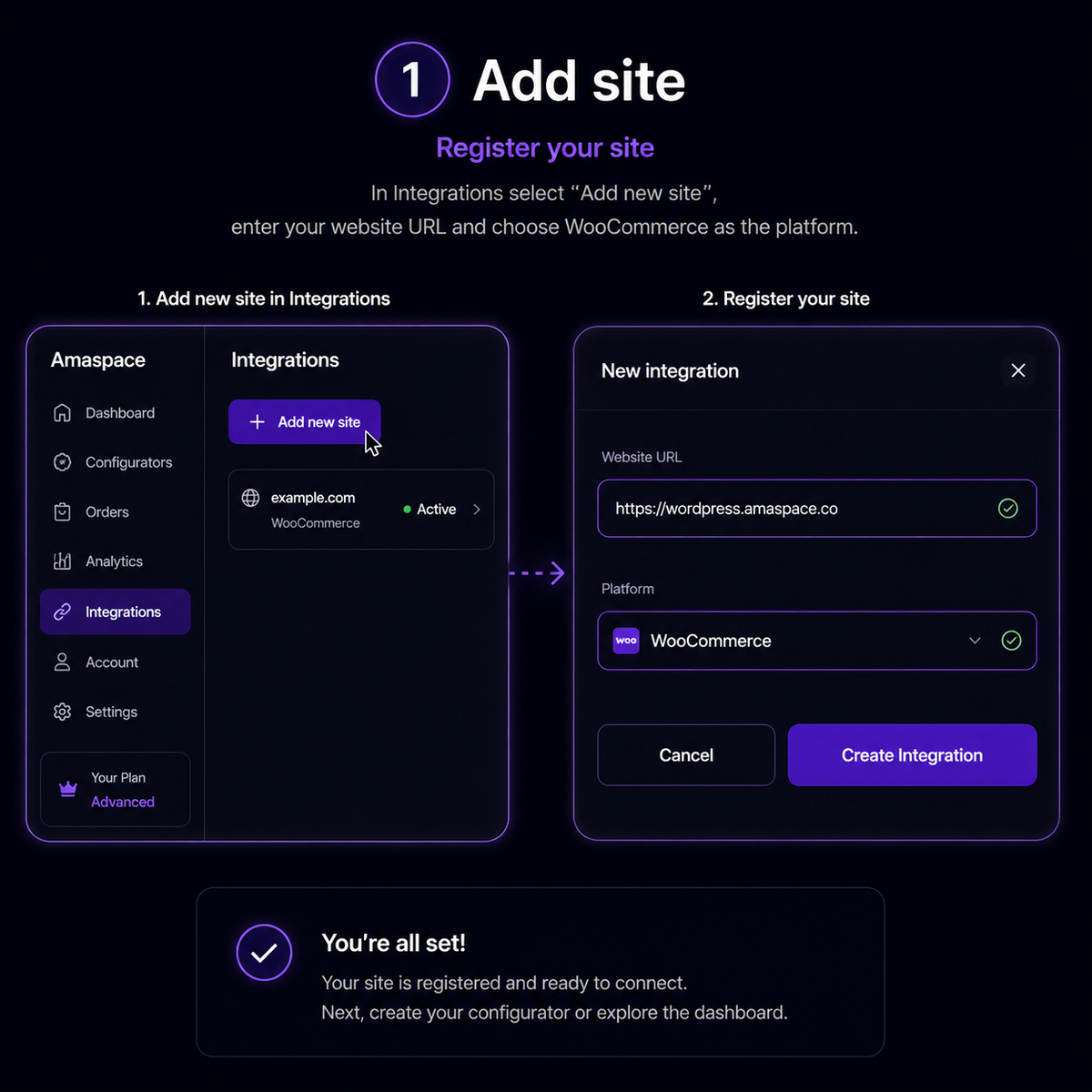
Five steps between your WordPress admin and the Amaspace dashboard.
FAQ
Everything sellers ask before connecting WooCommerce.